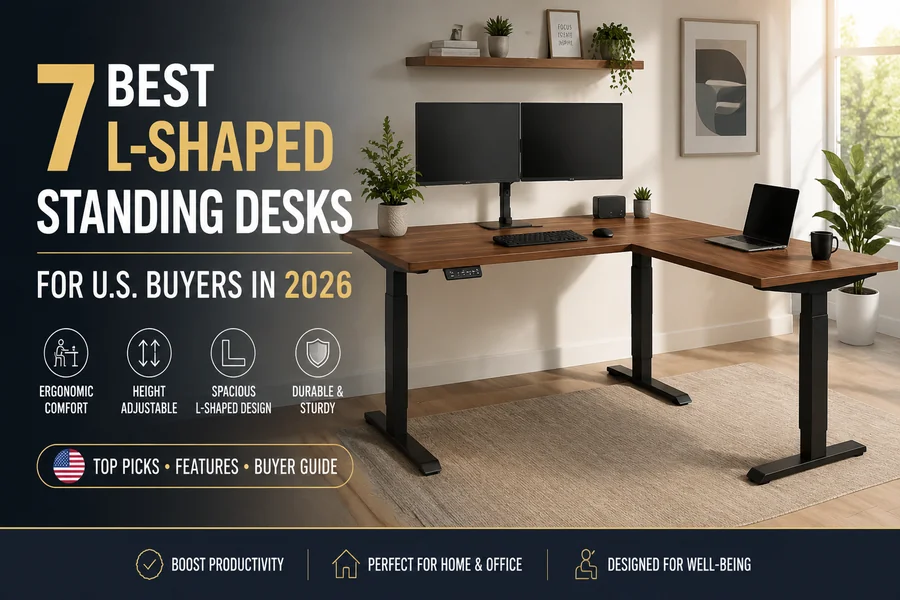
7 Best L-Shaped Standing Desks for U.S. Buyers in 2026
Seven L-shaped standing desks earn a distinct win in this roundup, and no single one takes every category. VIVO’s compact corner frame fits a tight home office, FEZIBO builds storage into the desktop itself, and Desky’s L-Shape carries the most independently certified frame of the group. The remaining four split along gaming, equipment capacity, frame configurability, and customization depth. A desk built for a gaming rig is often the wrong pick for a cramped apartment corner, and vice versa.
TL;DR
- Best for a Compact Corner Footprint: VIVO Electric Corner (E1L94), the smallest electric corner-desk footprint in this roundup at 47.2″ x 47.2″.
- Best for Built-In Storage: FEZIBO Worland, soft-close drawers built into the desktop instead of a separate cabinet.
- Best L-Shaped Standing Desk: Desky L-Shape Laminate Sit Stand Desk, a 496 lb certified capacity and the most independent certifications on this list (BIFMA, EESS, TÜV Rheinland, AFRDI).
- The bottom line: A genuine triple-motor frame with a certified capacity above 300 lbs is what actually keeps an L-shaped desk stable once monitors, a PC tower, and accessories are loaded onto it.
L-Shaped Standing Desk Buying Guide: What to Look For in 2026
L-shaped standing desks live or die on a handful of specs marketing copy tends to gloss over.
- Footprint versus room layout: Corner desks need clearance on both legs, not just desk space, so measure the room before the desktop.
- Motor count and weight capacity: A genuine triple-motor frame lifts both surfaces at once; a certified capacity above 300 lbs is a reasonable floor for dual monitors plus a tower.
- Cable management design: Channels built into the frame move with the desk, unlike clip-on trays that rarely keep up once a dock and monitor arms get added.
- Independent certifications: Marks like BIFMA, ANSI, and TÜV Rheinland mean a third party tested the frame rather than the manufacturer certifying its own claim (BIFMA, n.d.).
- Warranty length and coverage: A 10-plus year frame warranty signals the manufacturer expects the motors to outlast the desktop.
The 7 Best L-Shaped Standing Desks for U.S. Buyers in 2026
| Brand | Award | Standout Feature | Height Range / Capacity | Warranty | Price From |
| VIVO Electric Corner (E1L94) | Best for a Compact Corner Footprint | 47.2″x47.2″ footprint, single motor | 28.5″-46.5″ / 154 lbs | 3 years | $199.99 |
| FEZIBO Worland | Best for Built-In Storage | Soft-close drawers under the desktop | 28″-47.6″ / 308 lbs | 2 yrs motor, 5 yrs frame | $329.99 |
| Desky L-Shape Laminate Sit Stand Desk | Best L-Shaped Standing Desk | Triple motor, BIFMA/EESS/TÜV Rheinland/AFRDI certified | 23.6″-49.2″ / 496 lbs | 10 yrs frame, 5 yrs desktop | $1,089 |
| Eureka Ergonomic GTG-L60 Pro | Best for Gaming Accessories | RGB lighting, cup holder, headset hook | 30″-48.6″ / 220 lbs | 1 yr electronics, 5 yrs frame | $1,299 |
| Autonomous Desk 2 L-Shaped | Best for Equipment-Heavy Setups | 77″x64″ surface, 400 lb capacity | 29.4″-48″ / 400 lbs | 10 yrs frame, 2 yrs desktop | $1,149 |
| Progressive Desk Corner Ryzer | Best for Frame Configuration | Frame width adjusts 42.7″-72.6″ | 23.6″-49.1″ / 330 lbs | 15 years | $786 |
| UPLIFT L-Shaped, 3-Leg (V2) | Best for Customization | 200+ desktops, 40 frame options | 22.6″-48.7″ / 535 lbs | 15 yrs desktop | $1,149 |
VIVO Electric Corner (E1L94) – Best for a Compact Corner Footprint
VIVO’s E1L94 corner desk measures 47.2″ x 47.2″, meaningfully smaller than most electric corner desks on the market, including VIVO’s own larger 63″-84″ corner line. The single-motor frame covers a 28.5″-46.5″ height range with a 3-year warranty and three memory presets, in Black, White, Vintage Brown, or Light Wood finishes starting at $199.99.
Pros:
- Smallest electric corner footprint in this roundup
- Entry price under $200 with a 3-year warranty
- Push-button controller with three memory presets
Cons:
- 154 lb weight capacity is low for a desk meant to carry dual monitors and accessories
- Single motor runs slower and louder than the dual- and triple-motor desks on this list
- Desktop is particleboard despite the wood-look finish names
Suitable or: small home offices or apartments that need a genuine corner fit without heavy equipment.
Contact:
Phone: 1-309-278-5303 ext. 1
Instagram: instagram.com/vivo_us
FEZIBO Worland – Best for Built-In Storage
FEZIBO’s Worland, officially the Triple Motor Reversible L-Shaped Standing Desk with Upper Drawers, earns its storage award honestly. Soft-close fabric drawers sit under raised sections of the 63″ x 47.2″ desktop, alongside a small accessory hanger, rather than bolting on a separate cabinet. The triple-motor version lifts up to 308 lbs across a 28″-47.6″ height range, priced from $329.99 with a reversible frame.
Pros:
- Storage drawers are integrated into the desktop, not a bolt-on afterthought
- Reversible frame lets the L-configuration face either direction
- Six desktop finish options, including walnut and oak
Cons:
- Drawers are soft-sided fabric, not lockable hard storage
- Usable work depth runs a tight 14.2 inches with drawers factored in
- Desktop material is particleboard, not solid wood
Suitable for: buyers who want closed storage built into the desk instead of a separate filing cabinet.
Contact:
Address: 6145 Spring Mountain Rd, Suite 202, Las Vegas, NV 89146
Phone: +1 888-253-4559
Instagram: instagram.com/fezibo_home
Desky L-Shape Laminate Sit Stand Desk – Best L-Shaped Standing Desk
Desky L-Shape Laminate Sit Stand Desk runs on a triple-motor frame rated to 496 lbs, lifting both surfaces of the L simultaneously across a 23.6″ to 49.2″ height range at up to 1.6 inches per second. That synchronized third motor is what earns the desk its award: it keeps the corner joint level as the desk rises, instead of relying on a passive third leg that can flex under load the way some single- or dual-motor corner desks do.
The frame carries four independent certifications, BIFMA, EESS, TÜV Rheinland, and AFRDI, and is tested past 20,000 motor cycles, running at roughly 40 decibels in motion, quiet for a frame carrying three separate motors. Desky backs the frame, motors, and electronics with a 10-year warranty and covers the desktop surface for another 5 years.
The 1″ laminate desktop ships in more than 30 finishes, paired with a choice of Matte Black, White, Space Gray, or Gray legs, and buyers choose between two desktop sizes, 59″ x 29.5″ x 61.5″ x 20″ or the larger 70.9″ x 29.5″ x 69.5″ x 24″.
Cable routing runs through a channel built into the frame, tracking both surfaces around the corner joint rather than stopping at one leg the way a bolt-on tray typically does, and the desk pairs with app and Siri voice control so a saved sit or stand height is one tap or one voice command away. The listing carries more than 130 customer reviews on Desky’s own site.
Pricing starts at $1,089, financed through Afterpay or Shop Pay from roughly $90.75 a month, and buyers can add wire grommets at checkout for an additional cost.
Watch the Desky L-Shape Laminate Sit Stand Desk Overview.
Pros:
- 496 lb certified weight capacity, well above most of the field
- Four independent third-party certifications on the frame (BIFMA, EESS, TÜV Rheinland, AFRDI)
- Cable & power channel is engineered into the frame rather than sold as an add-on
- App and Siri control with saved height presets
Cons:
- $1,089 starting price sits above several other entries on this list
- Laminate is the entry desktop material; hardwood finishes cost more
- Full smart-control setup requires pairing a smartphone app first
Suitable for: buyers who want a corner desk that stays level under load, backed by the most independent certifications on this list.
Contact:
Address: 500 Red Stag Way, Sweetwater, TN, USA
Phone: +1 800 696 9017
Instagram: instagram.com/deskydesk
Eureka Ergonomic GTG-L60 Pro – Best for Gaming Accessories
Eureka Ergonomic’s GTG-L60 Pro pairs a 6mm tempered glass desktop with gaming hardware most L-shapes leave out: music-synced RGB lighting, an integrated cup holder, a rotating headset hook, and a cable rack with dual USB ports. The dual-motor frame runs 30″-48.6” and lifts 220 lbs, priced from $1,299 with a 5-year frame warranty.
Pros:
- Music-sync RGB lighting built into the frame
- Cup holder and rotating headset hook integrated into the desk
- Impact-resistant tempered glass desktop in two finish patterns
Cons:
- 220 lb weight capacity runs on the low side for a full tower plus multiple monitors
- No Bluetooth or third-party RGB software integration
- Glass surface shows fingerprints more than laminate or wood
Suitable for: gamers and streamers who want RGB lighting and gaming accessories built in.
Contact:
Address: 2553 Sampson Ave, Corona, CA 92879
Phone: +1 (844) 416-2090
Instagram: instagram.com/eurekaergonomic
Autonomous Desk 2 L-Shaped – Best for Equipment-Heavy Setups
Autonomous’s Desk 2 L-Shaped (formerly sold as the SmartDesk Corner) spreads a 77″ x 64″ surface across a triple-motor SPCC steel frame rated to 400 lbs, enough for dual-ultrawide monitors and a full desktop tower without straining the frame. The height range runs 29.4″-48″, it’s ANSI/BIFMA certified, and it ships with a free cable tray and a reversible short side, priced from $1,149.
Pros:
- 400 lb capacity and 77″x64″ surface fit multi-monitor, tower-heavy setups
- 10-year frame warranty
- Reversible short side adapts to room layout
Cons:
- 4″ minimum height runs tall for shorter users
- Only two color options, neither a wood-look finish
- Desktop material is MDF, not solid wood or bamboo
Suitable for: dual-monitor or ultrawide setups with a desktop PC tower that need real surface area and load capacity.
Contact:
Address: 21800 Opportunity Way, Riverside, CA 92518
Instagram: instagram.com/autonomousdotai
Progressive Desk Corner Ryzer – Best for Frame Configuration
Progressive Desk’s Corner Ryzer frame adjusts from 42.7″ to 72.6″ wide, pairing with more than 15 documented desktop-size combinations across three size tiers. The triple-motor frame lifts 330 lbs across a 23.6″-49.1″ height range, backed by a 15-year warranty, the longest term on this list.
It can also convert into a rectangular “Solo Ryzer” desk, though that swap needs a separate control box and new tabletops, not a tool-free adjustment. Pricing starts around $786 on sale.
Pros:
- Frame width adjusts across 15-plus documented desktop-size pairings
- 15-year warranty, the longest term in this roundup
- Frame-only purchase option for a custom top
Cons:
- Converting to the Solo Ryzer layout needs a separate control box and tabletops, not a tool-free swap
- Independent reviews are mixed on frame feel at maximum height
- No BIFMA or ANSI certification listed
Suitable for: buyers who want one frame that can be resized as their room or workflow changes.
Contact:
Address: 11400 Deerfield Rd, Blue Ash, OH 45242
Phone: 1-800-828-9414
Instagram: instagram.com/progressivedesk
UPLIFT L-Shaped Standing Desk, 3-Leg (V2) – Best for Customization
UPLIFT’s 3-leg L-shaped frame supports the widest build-your-own range in this roundup: six size and shape configurations, four frame colors, and eight desktop material categories that add up to more than 200 desktop options and 40 frame variants, a figure TechRadar independently confirmed (TechRadar, 2026).
The frame lifts 535 lbs, the highest capacity on this list, across a roughly 22.6″-48.7″ height range, priced from $1,149 with a 15-year desktop warranty and a 30-day trial with free return shipping in the contiguous U.S.
Pros:
- 535 lb weight capacity, the highest of any desk in this roundup
- Over 200 desktop finishes and 40 frame options, confirmed by TechRadar
- 30-day trial with free return shipping removes most purchase risk
Cons:
- The volume of configuration choices can overwhelm first-time buyers
- Premium wood desktops and add-ons push price well above the $1,149 base
- Assembly runs longer than most rivals given the frame’s component count
Suitable for: buyers who want to build a desk to an exact spec, not a fixed lineup.
Contact:
Address: 1848 Ferguson Ln, Bldg 1, Austin, TX 78754
Phone: 800-349-3839
Instagram: instagram.com/upliftdesk
Common Mistakes Buyers Make
Buyers researching this category tend to repeat the same handful of errors, most of which surface only after the desk is assembled.
1. Buying the Largest Desk Without Measuring
Room layout, not desktop size, decides whether an L-shaped desk fits a space. A 78″ corner frame needs clearance to open drawers and roll a chair back, and skipping that measurement is a common return reason.
2. Ignoring Weight Distribution
Monitor arms and a desktop PC tower concentrate weight at specific points rather than spreading it evenly. A desk’s advertised capacity assumes even loading, so a heavy arm mount plus a tower on one corner can strain a frame before it hits its rated maximum.
3. Choosing Based Only on Price
The cheapest frame on paper often costs more over time once a short warranty or a weak motor forces an early replacement. Long-term value comes down to warranty length, build quality, and whether the manufacturer stands behind the motors.
4. Forgetting Future Upgrades
A desk sized for today’s setup can run out of room fast. Plan ahead for what might get added:
- A third monitor
- A larger desktop
- Audio gear
- A docking station
- Standing desk accessories, like a monitor arm or cable tray
Musculoskeletal strain from a poorly fitted workstation is a documented workplace issue (CDC, 2024).
FAQs
How much space do I need for an L-shaped standing desk?
Most L-shaped desks need 4 to 5 feet of clearance on each leg to open drawers and move a chair freely. Measure the corner itself, doors and walkways included.
Is a triple-motor L-shaped desk actually more stable than a dual-motor one?
Yes, in most cases. A triple-motor frame lifts both surfaces of the L at once, keeping the corner join level, while a dual-motor frame relies on a passive third leg that can flex under load.
What weight capacity do I need for a corner desk with dual monitors?
A certified capacity above 300 lbs comfortably covers dual monitors and standard accessories. Add a desktop PC tower or heavy monitor arms and that number should climb closer to 400 lbs.
Is built-in cable management worth paying more for?
For most buyers, yes. A channel engineered into the frame keeps cables moving with the desk, while an add-on tray often falls short once a monitor arm or dock gets added.
What makes Desky’s L-Shape desk different from other triple-motor corner desks?
Desky pairs its triple-motor frame with four independent certifications, BIFMA, EESS, TÜV Rheinland, and AFRDI, more than any other desk in this roundup, and it routes cable management through a channel built into the frame that tracks both surfaces of the corner instead of stopping at one leg.
The Bottom Line
No single desk on this list wins every category, and that’s the point of buying by need rather than by hype. The VIVO Electric Corner fits a tight room where most L-shapes won’t, the FEZIBO Worland adds real drawer storage, and the Desky L-Shape carries the deepest certification stack of the seven.
Gaming rigs, equipment-heavy setups, reconfigurable frames, and fully custom builds each have a dedicated pick further down the list. Choose the desk built for the actual use case, and it should hold up for years, not months.