How Technology Writers Can Use Seedance 2.5 to Plan Clearer Comparison Video Drafts
Technology comparisons are easy to write and hard to show. A short video draft can help writers test the order, pacing, and visual logic of a comparison before it becomes a published clip.
Readers like comparison articles because they answer a practical question: what changed, what matters, and which option fits a certain use case? The problem is that a written comparison does not always translate smoothly into video. Too many points can make the clip feel rushed. Too few points can make it feel thin. A tool list can become boring if every scene looks the same.
That is why planning matters. A technology writer may not need a final video on the first try. What they often need is a draft that shows whether the comparison can be explained clearly in motion. Used carefully, Seedance 2.5 can help turn a written comparison outline into a short visual draft that a writer, editor, or social media manager can review before production.
This does not mean the video should make the decision for the viewer. The facts still belong in the article, the captions, and the editor’s notes. The video draft is there to test structure: what appears first, how two ideas sit side by side, and whether the viewer can understand the difference without pausing every second.
Start With One Comparison Question
A weak comparison video tries to cover everything. A useful one starts with one question. Is the article comparing two app workflows? Two device features? Two creator tools? Two ways to edit the same asset? A short video should not pretend to answer every possible reader question in a single draft.
A focused brief might say: “Create a short visual draft that compares a manual editing workflow with an AI-assisted drafting workflow. Show the same task in three beats: starting material, draft stage, and review stage. Keep the tone neutral and leave room for captions.”
That kind of prompt gives the draft a job. It also helps the writer stay away from vague scenes that look impressive but explain very little. A comparison is only useful when viewers can see what is being compared and why it matters.
Build the Clip Around Clear Visual Beats
A written article can move through several sections. A short video needs a smaller map. For many technology topics, three or four beats are enough: the old process, the new process, the friction point, and the final takeaway.
That structure can work for app guides, software updates, creator workflows, gadget explainers, and short product education pieces. The writer does not need to make the clip dramatic. In fact, comparison content usually works better when the motion is simple and the labels are easy to read.
The draft should make the article easier to understand. If the video adds speed but removes clarity, it is not ready. If the viewer can tell what changed within the first few seconds, the structure is probably moving in the right direction.
Use References for Layout and Tone
Reference materials can help a comparison video stay organized. A writer may use a simple layout mockup, a color card, a product screenshot, a short motion reference, or a brand-safe graphic. These materials can guide the draft without asking the tool to invent facts or product claims.
The cleanest workflow separates evidence from presentation. The article outline should hold the facts. The reference materials should guide format, pacing, and visual style. That separation makes review easier because the editor can check the claims in one place and the visual treatment in another.
For technology content, this matters. A draft should not imply a feature exists if the source article has not verified it. It should not show a fake interface as if it were a real product screenshot. If the visual is illustrative, the captions and context should make that clear.
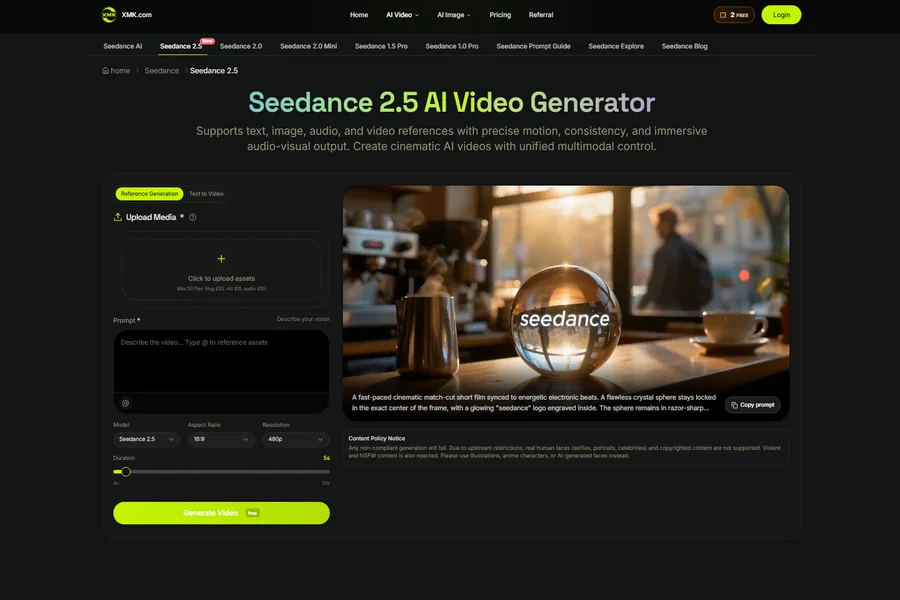
References must also follow the selected platform’s current rules. XMK currently states that real human faces, including selfies, portraits, and celebrity content, and unsupported copyrighted material are not accepted in this Seedance 2.5 workflow. Teams should use product-owned screenshots, original graphics, appropriately licensed assets, and other platform-compliant materials.
When exact interface behavior, button placement, labels, or step-by-step operation matters, use a verified screenshot or screen recording from the real product rather than generated footage.
Keep the Draft Neutral
Comparison content can quickly become too promotional. A video with glowing lights, dramatic camera moves, and exaggerated captions may be fun to watch, but it can also make a simple tool comparison feel like an advertisement. Technology readers usually want clarity first.
A neutral draft is often more useful. It can show one workflow beside another, highlight the practical difference, and leave the judgment to the article. The best video support does not shout. It helps the reader understand the piece faster.
A practical XMK Seedance 2.5 workflow can support that kind of planning by giving writers a reviewable draft before the final visual work begins.
Review Captions Before Motion
Captions carry a lot of weight in comparison videos. A viewer may watch without sound. They may also scan the first few seconds before deciding whether to continue. If the captions are vague, the visuals will not save the clip.
Important captions, product names, dates, prices, and feature claims should normally be added in post-production rather than trusted inside generated footage. The draft can reserve space and test timing for captions, but the final wording should come from the edited article.
Writers should draft the caption language before judging the motion. Each scene should have a simple label or sentence that matches the article. If a caption needs a long explanation, the scene may be trying to do too much. If a scene looks good but has no clear caption, it may not belong in the video.
This is also where factual review should happen. Product names, feature descriptions, dates, pricing notes, and performance claims should be checked against the article or source material. The generated draft should never become the source of the claim.
Decide What the Draft Is For
Not every AI video draft should become a public post. Some drafts are useful because they reveal that an idea is not clear yet. Some are better as internal storyboards. Some can become a starting point for a designer or video editor after the team has checked the structure.
That decision should be made before publishing. A technology writer can ask a few simple questions: Does the clip make the comparison easier to follow? Does it match the tone of the article? Are the visual references approved? Are the captions accurate? Is the viewer likely to understand that this is a short summary, not the full review?
If the answer is no, the draft still has value. It shows what needs to change before the comparison becomes public-facing video.
Where It Fits in a Technology Publishing Routine
For technology writers, AI video planning works best between the outline and the final edit. The article gives the comparison its facts. The prompt gives the video its structure. The draft gives the team something visible to discuss.
Seedance 2.5 can be useful in that middle stage because it lets teams test motion, references, pacing, and short-form structure without treating the first output as finished work. The result is not a shortcut around editorial judgment. It is a faster way to see whether the visual idea makes sense.
Good comparison content is not only about choosing a winner. It is about helping readers understand tradeoffs. A clear video draft can support that goal when it stays honest, simple, and tied to the article it came from.